

How To Delete Pinterest Browsing History
Pinterest is an amazing platform. There is so much on it you can save and share, but there is one tiny little problem, and that is seeing the same thing again and again.
Has this ever happened to you? You click one pin you liked, and boom, the next thing you know, your whole home feed is full of that stuff.
Well, there is an easy solution to your problem, and that is deleting browsing history on your Pinterest account, and that’s it.
However, if you don’t know how to do that, then this post is for you. In it, I share a step-by-step tutorial on how to delete Pinterest browser history.
Don’t worry I’ll share pictures so you don’t get confused.
Why You Should Delete Your Pinterest Browsing History
Well, there are so many benefits to it. You can give your account a fresh new start; you don’t have to see the same pins again and again, and most of all, Pinterest will start showing you new ideas related to your inserted topic.
It’s not something you have to do, but a way to keep things fresh.
How To Delete Your Pinterest History
- Log in to your Pinterest account on mobile.
- Tap on the three dots in the upper right corner of your screen.
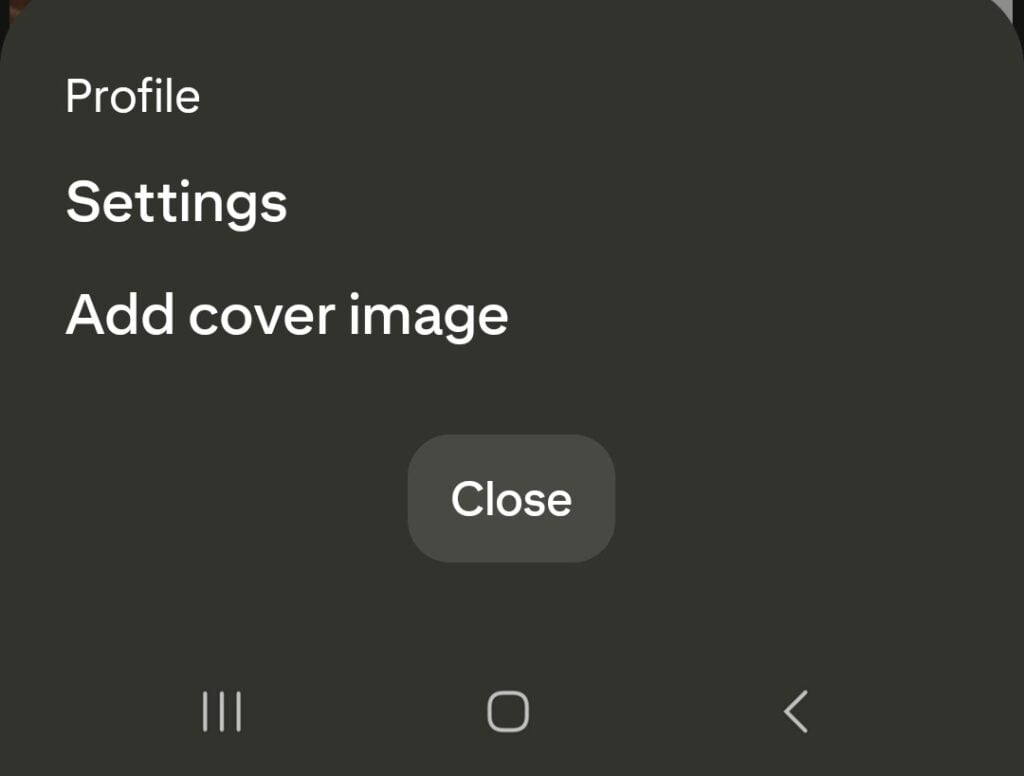
- Tap on Settings.
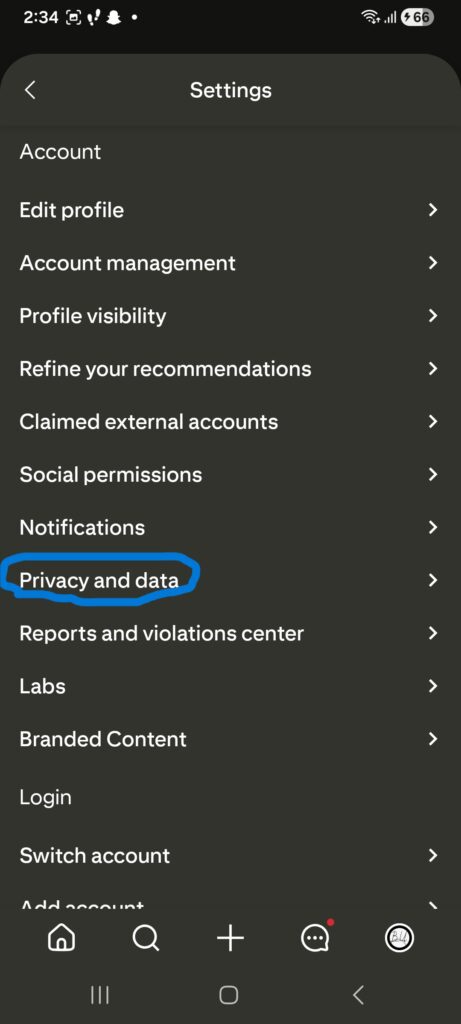
- Now, from the menu, tap on “Privacy and data.”
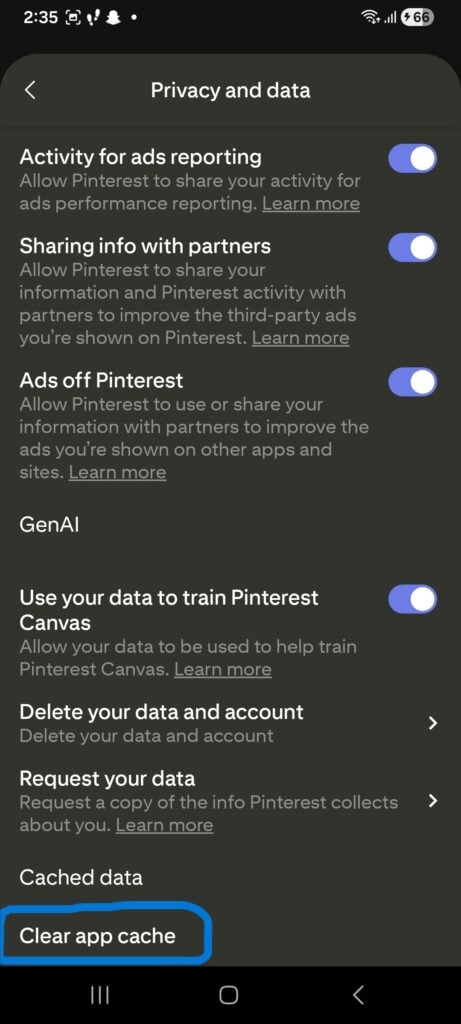
- Scroll down and tap “clear app cache.”
That’s it; your browsing history is deleted. Now you can start seeing new things on your feed. Keep in mind it takes time for data to be cleared, and wait at least 24 hours.
Frequently Asked Questions
Q: Will I lose my saved pins if I clear my Pinterest browsing history?
No, as long as your pins are saved on boards, you won’t lose them.
Q: Is a mobile app required to delete Pinterest browsing history?
For this tutorial, yes, you need a Pinterest mobile app on your phone to delete Pinterest browsing history.
Related Posts:
- How Do I Find My Saved Pins On Pinterest
- How To Delete Pins On Pinterest
- How To Delete Messages On Pinterest
- How To Delete A Pinterest Board